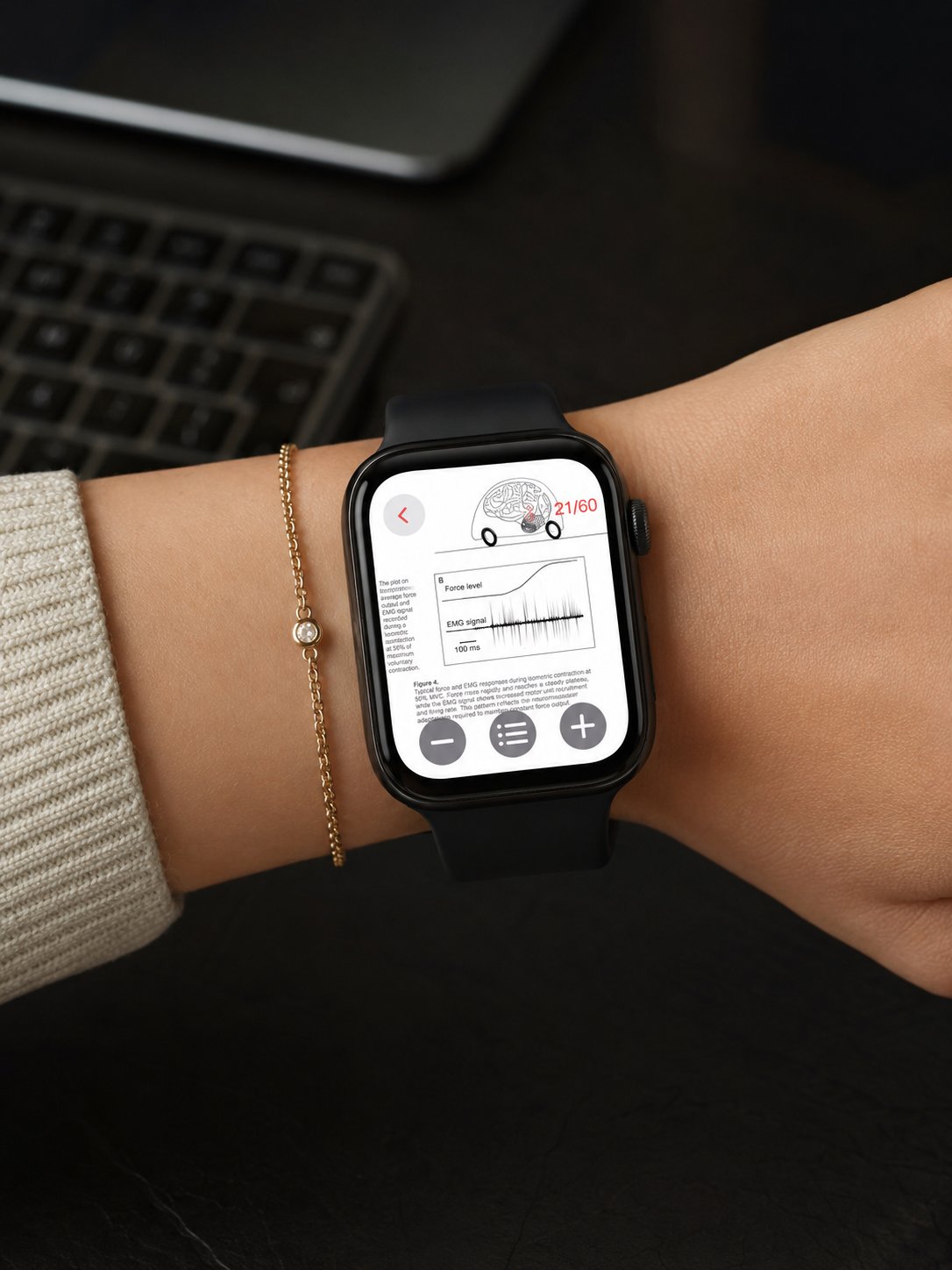
If you want to know how to view documents on Apple Watch, the easiest option is to use a dedicated document viewer. Apple Watch is useful when you need quick access to important information from your wrist, such as a PDF, note, travel file, work document, checklist or reference page.
A watch is not meant to replace your iPhone or computer for managing large files. But it can be very practical when you only need to open a document, check a detail or keep essential information close during the day.
For this use case, WristDocs : PDF Watch Viewer is a practical document app for Apple Watch.
Use WristDocs as an Apple Watch Document Viewer
WristDocs : PDF Watch Viewer is designed to help users view documents from Apple Watch.
You can prepare files on your iPhone, send them to your watch and open them from your wrist when needed. This makes it easier to keep selected documents available without searching through email, folders or cloud apps every time.
A practical option is:
https://apps.apple.com/us/app/pdf-watch-viewer-wristdocs/id6745387064
WristDocs is especially useful for PDFs, notes, reference documents, travel files, work instructions and study materials. It also supports searching inside a PDF from Apple Watch, which helps when you need to find a specific word, section, name or detail.
Viewing PDF Files on Apple Watch
PDFs are one of the most common document types people want on Apple Watch.
You may want to open a ticket, boarding pass, class note, manual, schedule, checklist or work file. With an Apple Watch PDF viewer like WristDocs, you can keep those files ready on your wrist.
This is useful because PDFs often contain information you may need at a specific moment. Instead of unlocking your iPhone and finding the right folder, you can open the file directly from Apple Watch.
Viewing Word Documents on Apple Watch
Many users also want to view Word documents on Apple Watch.
For school or work, Word files may include meeting notes, outlines, drafts, instructions or reference text. If you need to keep that information easy to reach, it can help to prepare the file on iPhone and view it through a document app on Apple Watch.
For best results, keep the document simple and readable. Short notes, clean formatting and clear sections work better than long complex pages.
Viewing Text Files and Notes
Text files and simple notes are a good fit for Apple Watch because they are usually easy to scan.
You might use them for reminders, study summaries, scripts, packing lists, gym plans, recipes or daily instructions. These kinds of files work well because the information is direct and easy to check quickly.
If your goal is to view files on Apple Watch without too much setup, simple text based documents are often the easiest type to use.
Viewing Spreadsheets and Reference Files
Spreadsheets can be useful on Apple Watch when they are used as reference documents.
For example, you may need to check a short table, price list, schedule, inventory note, workout plan, class list or travel plan. The key is to keep the file readable and focused.
Apple Watch is best for checking selected details, not editing large spreadsheets. If you prepare the file clearly, it can still be useful as a quick reference from your wrist.
Best Use Cases for Document Viewing
Document viewing on Apple Watch is most useful in real daily situations.
Students can keep study notes, formulas, summaries or exam reminders close. Remote workers can check meeting notes, client details, schedules or work instructions. Travelers can keep tickets, booking details, hotel addresses and travel documents ready.
It can also help with manuals, checklists, recipes, event details and any small reference file you may need during the day.
This is where an Apple Watch file viewer becomes useful. It gives your watch a practical role beyond notifications, workouts and time.
Tips for Better Document Viewing
Choose documents that are easy to read and useful from the wrist.
Short files, clean pages, simple formatting and clear headings work best. For longer documents, use search when available so you can find the right section faster.
It also helps to prepare documents on iPhone first. Your iPhone is better for file management, while Apple Watch is better for quick access later.
With a focused setup, a document app for Apple Watch can make important files much easier to reach.
Conclusion
Knowing how to view documents on Apple Watch is mostly about using the right app and preparing the right files.
For PDFs, Word files, text files, spreadsheets and reference documents, WristDocs : PDF Watch Viewer gives Apple Watch a clear document viewing role. It is useful for school, work, travel, manuals, checklists and quick reference files.
If you want important documents closer during the day, a dedicated Apple Watch document viewer can make your watch much more practical.